
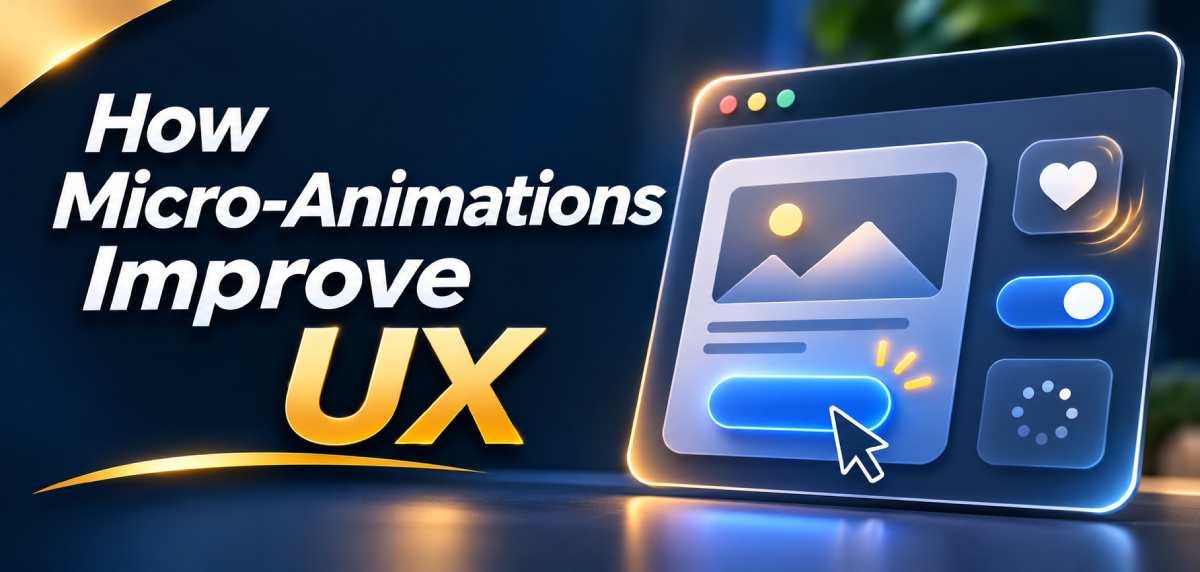
How Micro-Animations Improve UX
Whilst the digital world is highly competitive, often the subtlest of features can determine whether a product is successful or discarded. Micro-animations are used widely within digital design and can be seen on buttons, menus, forms and alerts. They create dynamic and engaging products and can inform, assist and emotionally engage customers. As such, they are recognised as an integral area for designers to focus on.
Defining Micro Animations
Micro animations are small animations which can both react to user behaviour and/or illustrate product behaviour. For example, many social media platforms use a heart icon that playfully expands when someone likes a post. Buttons can animate subtly when users click them, while progress bars show the status of file uploads. Animated menus also improve navigation, such as when a menu slides out after users click the hamburger icon. All occur in a fraction of a second, but effectively address a customer’s unspoken questions – was that successful? What is occurring? And where has something gone?
Whilst macro design elements (for example, video onboarding and animated hero images) represent a broader aspect of design, micro-animations operate at an interaction level. They are initiated by a user’s behaviour (such as pressing, hovering, scrolling or submitting a form) and are used to inform, illustrate or indicate behaviour. As identified by the Nielsen Norman Group, micro-interactions effectively boost UX as they can engage customers, illustrate behaviour, avoid errors and demonstrate brand personality.
Psychology of Movement
As our brains have evolved, we are naturally inclined to pay more attention to moving objects than those that are still. Clever designers utilise this behaviour. For instance, when an alert appears and glides across a screen, users effortlessly understand where their attention should be drawn without needing to reference any text or instructions – and with no mental effort involved.
Movement can also be used to alleviate customers’ perceptions of delays. Customers become unsettled if they are presented with a blank screen, so an appropriately timed animated spinner or skeleton screen conveys that a product is functioning correctly. Again, across web, mobile and progressive web applications, research repeatedly demonstrates that effective, relevant Animations Improve usability. They also avoid errors and further alleviate customer concern. So, in addition to being aesthetically pleasing, micro-animations demonstrably boost usability by effectively minimising a customer’s mental effort, especially at times when they are most likely to become disoriented.
Emotionally, animations can also please customers. An animation to recognise successful completion of a task or one to celebrate achievement can produce a small but effective wave of pleasure. Collectively, these micro-pleasures contribute to a feeling that a product is not only well designed but also dynamic and even friendly. This in turn affects a customer’s trust in, and continued engagement with, a product and thus brand loyalty.
Improving UX Through Micro Animations
Instant Feedback
Offering immediate feedback is a basic but vital function of micro-animations. Customers receive visual confirmation that their actions have been recognised; for example, they see an animation indicating that they have pressed a button. If this is absent, customers are often unsure whether or not they have successfully interacted with a product. Uncertainty can lead to errors and, in turn, dissatisfaction. Furthermore, real-time form validation – for instance, an animated wobble to show that a password is too short and a change to a green colour to verify an email is valid – are all micro-animations. They enable early error detection and thus limit both incorrect data input and the need for support requests.
Supporting Customers
Customers can benefit from micro-animations in their navigation. Animated onboarding with a live progress bar enables customers to recognise how far they have progressed within a process and so maintain positive momentum. Following the introduction of animated onboarding and a live progress bar, one company witnessed new user activation increase by 47%. Likewise, micro-animations can be used to sequentially unveil information to a customer as they scroll, making it easier to assimilate.
Illustrating Behaviour
Various micro-animations are used to inform customers about what is occurring within a product. Loading spinners, file upload progress bars and tick symbols to show saving are all examples. Further animations, including a pulsing indicator to signify message dispatch, an animated switch on or off of an icon and the ‘pull to refresh’ function in mobile apps, also inform and empower customers. Good communication of behaviour engenders trust in a product and greatly increases the likelihood that a customer will continue with a task.
Avoiding Errors and Enhancing Experience
Preventing errors is another under-recognised advantage of incorporating movement into a product. Animated on-screen prompts, visual representation of non-functional buttons and previews of on-click behaviour are just some of the methods used to minimise customer disorientation and thus errors. Nielsen Norman Group research has found that well-designed micro-interactions also enable customers to achieve goals with minimal action and mental effort. Again, this leads to greater customer satisfaction and lowers support expenditure.
Branding
Arguably the most globally renowned micro-animation is the ‘like’ function on social media. When a customer presses this feature, an animated thumbs up or heart bursts into life in an agreeably dynamic manner. Such micro-animations add character to a product and encourage customers to view an interface as more human. Brands can utilise micro-animations to effectively convey brand personality. For example, the acceleration of an animation, the lightheartedness of a hover effect and the style of a successful task animation can all be used to showcase brand identity, without the need for textual branding.
Good Micro Animation Practice
Although micro-animations can be highly impactful, badly executed ones can negatively affect UX in the same way that well-executed ones positively do. Above all, micro-animations should fulfil a function – either to inform, support, indicate behaviour or please. Too often, animations are included purely for visual effect and can therefore become superfluous.
Alongside functionality, appropriate duration is also important. Typically, micro-animations should be between 100 and 500 milliseconds long. If an animation is too quick, it may not even be perceived by a customer. Conversely, if it is too slow, then the product can appear slow. Furthermore, ease-in and ease-out motions (reflecting natural physics) are more human-like, whereas linear animations seem mechanical and are less pleasant.
Professionals know when to animate. Too much animation can cause elements to blend together and lose impact. Concentrate animation around areas of key behaviour – for example, form submission, behaviour change, navigation and error. Likewise, it is essential to ensure that micro-animations are accessible. Individuals with vestibular issues can suffer from sickness or lightheadedness as a result of over-animation. Therefore, alongside complying with general accessibility requirements, it is now fundamental to design for, and adhere to, an operating system’s ‘reduce motion’ function. Finally, user testing is key. Although a design team may find an animation pleasing, customers may find it distracting. Thus, it is important to continually refine micro-animations based on user research.
Areas of Greatest Micro Animation Impact
There are specific situations in which micro-animations particularly benefit a product. Within e-commerce, for example, animated ‘add to basket’ and checkout functions reassure customers and so lower basket abandonment at pivotal stages. For SaaS products, animated onboarding and progress bars expedite new user activation and adoption. Mobile apps can also effectively utilise micro-animations. For example, swipe and ‘pull to refresh’ functions are all touch-based and so feel more natural to customers. Within data-led dashboards, micro-animations depicting behaviour change allow customers to easily ascertain what has altered.
Overall, micro-animations are especially effective in situations where there may be customer doubt as to whether, what or how to proceed.
How Techjeta Addresses Micro Animation
Successful micro-animations not only depend on knowing which animations to implement but also on having insight into customer behaviour, interaction psychology and technical limitations. Techjeta’s design and development teams excel in developing digitally focused products in which all animations are highly functional. This begins with in-depth user research and interaction analysis followed by prototype development, testing and then deployment.
Working with product teams, Techjeta analyses a product’s user journey to establish areas where customers may be uncertain, reluctant or leaving a product. Appropriate micro-animations are then developed. Techjeta ensures that there is uniformity in both the speed and ease-in/ease-out of animations. Accessibility is also strictly adhered to. Moreover, performance is optimised so that micro-animations do not impede, but rather enhance, a product’s speed. Whether it is streamlining onboarding, minimising form exit or adding brand character to a product, Techjeta’s experienced UX/UI services enable organisations to effectively convert fine-grained design aspects into impactful business results. As a result, products are not only highly functional but also effortlessly, dynamically and pleasurably usable.
Conclusion
Micro-animations vividly exemplify that, often, within UX, it is the tiniest of details which can have the biggest impact. As well as offering immediate feedback, they can aid navigation of complex processes, illustrate behaviour and avoid errors. Crucially, they can also instil character. Research and practical outcomes repeatedly demonstrate that well-designed micro-animations successfully boost engagement, satisfaction and customer retention. Poorly designed ones have the inverse effect. Essentially, micro-animations should be highly functional, value a customer’s time and be accessible. For businesses keen to further develop their digital offerings, commissioning expert micro-animation design services is an extremely effective method of transforming routine customer-product interaction into enduring relationships. Fortunately, experts such as Techjeta are available to facilitate this.